Compress Image to 50KB
Shrink JPG, PNG and WebP images to exactly 50KB with a smart binary-search algorithm. Batch compress up to 5 images at once — right inside your browser. Nothing uploaded, nothing stored, completely private.
Drop images here or tap to select
Compress up to 5 images at once
Supports JPG · PNG · WebP — max 5 files
Why You Need to Compress JPGs to 50KB Online
Large image files cause real problems. They slow down your website, eat up storage, and — most frustrating of all — get rejected by official portals that enforce strict upload limits. Whether you are applying for a job, submitting a government form, registering for an exam, or optimizing an e-commerce store, meeting the 50KB file size limit is often non-negotiable.
Most free compressors either ruin your image quality or miss the target size completely. Our tool is different. It uses a smart binary-search algorithm that intelligently tests quality levels to land your image in the exact 48KB to 50KB range — without sacrificing the visual clarity that matters. Everything runs inside your browser, so it is fast, accurate, and completely private.
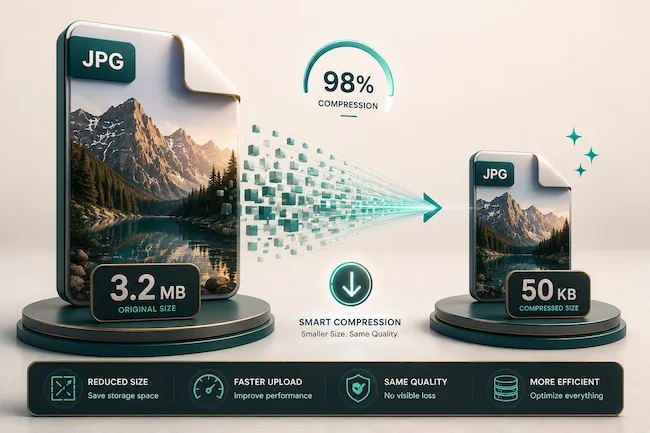
High-Quality Compression with Batch Processing
Most online compressors force a painful choice — either you get a tiny file with terrible quality, or a clear image that misses the size limit. Our bulk image compressor solves both problems at once. You can process multiple images simultaneously, and each one is optimized to hit your exact target.
Using advanced client-side technology, the entire compression happens directly in your browser. This means your private photos are never uploaded to any server. The result is two huge advantages: 100% data privacy and lightning-fast speed — there is no upload wait, no download wait, and no one else ever touches your files.
How the Binary-Search Algorithm Works
A basic compressor just drags a quality slider down and hopes for the best. Our tool is smarter. The binary-search algorithm works like this:
- It tests a middle quality level and checks the resulting file size.
- If the file is too big, it tries a lower quality. If it fits, it tries a higher quality to keep more detail.
- It repeats this narrowing process several times, zeroing in on the highest possible quality that still fits under 50KB.
- If quality alone is not enough, it intelligently reduces the image dimensions too — so even very large photos hit the target.
This is the same principle used in professional optimization software, and it is why your images come out accurate and clear.
How to Use the Tool — Step by Step
- Upload your images — Drag and drop up to 5 files, or tap the box to browse your device.
- Pick your target size — Choose 50KB, or any other limit your form requires (20KB to 500KB).
- Click Compress Images — Watch the progress bar as each image is optimized.
- Download — Save each file individually, or grab them all with Download All.
The whole process takes just seconds. Looking for more free tools? Try our Body Shape Calculator for personalized styling insights or our Face Shape Calculator for hairstyle and accessory guidance.

How We Compare to Standard Online Compressors
Not all image compressors are built the same. Here is an honest, side-by-side look at what makes a quality tool different from the basic compressors that flood search results.
| Feature | PRO FreeTools Compressor | Standard Online Tools |
|---|---|---|
| Size accuracy | Exactly 48KB – 50KB | Randomly varies |
| Data privacy | Browser-side (secure) | Server-side (risky) |
| Batch support | Up to 5 images at once | Mostly 1 by 1 |
| Compression logic | Binary-search algorithm | Basic quality slider |
| Upload wait time | None — instant | Upload + download wait |
| Cost & signup | Free, no signup | Often limited or paywalled |
| Mobile experience | Fully responsive | Often desktop-only |
What This Means for You
The differences are not just technical details — they directly affect your experience. Server-side tools make you wait twice (once to upload, once to download) and put your private images on someone else’s computer. A basic quality slider means guessing and re-trying until you accidentally hit the right size. Our approach removes all of that friction: accurate results, instant processing, total privacy.

Common File Size Requirements for Online Forms
Different platforms enforce different image size limits. Knowing the common ones helps you pick the right target before you even start. Here is a quick reference for the file sizes you will encounter most often.
| Target Size | Where It Is Used | Quality Level |
|---|---|---|
| 20 KB | Strict government forms, digital signatures | Basic — small dimensions |
| 50 KB | Job applications, exam photos, ID uploads | Good — clear on screen |
| 100 KB | Visa portals, online profile photos | Clear and detailed |
| 150-200 KB | Document scans, certificates, records | High quality |
| 500 KB | Email attachments, general web uploads | Near-original quality |

Which Target Should You Choose?
Always read your form’s instructions first — the required size is usually written right next to the upload button. If no size is mentioned, 50KB is the safest universal target for passport-style and ID photos. When the form allows more, choosing 100KB or 200KB gives you a noticeably sharper image. The rule is simple: use the largest size your form permits for the best-looking result.
A Few Quick Tips for Better Results
- Start with a sharp original — a blurry photo only looks worse after compression.
- Crop out empty space first — fewer pixels means the tool keeps more quality where it counts.
- Do not over-compress — if your form allows 100KB, do not force it down to 20KB for no reason.
- Always preview before submitting — open the compressed file and check that faces and text are still clear.
Taking a short break between form-filling tasks? Our Mood Tracker helps you check in with how you are feeling, and the Body Shape Calculator and Face Shape Calculator offer fun, useful personal insights.

Common Questions
Is this image compressor safe and private?
Yes, it is completely safe and private. All compression happens directly in your browser using client-side JavaScript. Your images are never uploaded to any server, never stored, and never seen by anyone. This makes it perfectly safe for ID photos, government documents and confidential images.
How many images can I compress at once?
You can compress up to 5 images at the same time. Each image is processed individually with its own progress indicator, so you can download them one by one or all together with the Download All button.
How does the tool hit exactly 50KB?
The tool uses a smart binary-search algorithm. Instead of guessing, it intelligently tests quality levels to find the highest quality that still fits under your 50KB target. If needed, it also reduces image dimensions. This gives an accurate result close to the target without ruining clarity.
Will compressing to 50KB reduce image quality?
Some quality reduction is unavoidable when shrinking a file to 50KB, but the binary-search algorithm keeps quality as high as possible. For most form photos and document images compressed to 50KB, the result still looks clear and is fully acceptable for online uploads.
What image formats can I compress?
You can compress JPG, JPEG, PNG and WebP images. The tool outputs an optimized JPG by default, which produces the smallest file size and is the most widely accepted format for job applications, exam forms and government portals.
Why do online forms require images under 50KB?
Many job portals, government forms, exam registrations and visa applications set strict file size limits like 50KB to save storage and speed up their systems. If your photo is larger, the upload is rejected. Compressing to the exact required size lets your submission go through successfully.
Is this tool really free with no limits?
Yes, it is 100 percent free with no hidden charges, no watermarks, no signup and no daily limits. You can compress as many images as you need, as many times as you want, on any device.
Does it work on mobile phones?
Yes, the tool is fully mobile-friendly. The drag-and-drop zone, buttons and controls are all designed to work smoothly on phones and tablets, so you can compress images on the go without a computer.
What is the difference between this and server-based compressors?
Server-based compressors upload your images to their computers, which is slower and a privacy risk. This tool processes everything inside your own browser, so it is faster and your images stay completely private on your device.
Explore More Free Tools
All PRO FreeTools utilities in one place — free, fast, private, and easy to use on mobile and desktop. No signup, no watermarks, no limits.